



Read more
Renovations go over budget when nobody is tracking the small things.

Extra work gets approved on a phone call, payments get mixed up, and snags are forgotten until the final bill is paid. This planner keeps the whole project in one place, from the first quote to the last warranty.
What you get: 18 linked tabs
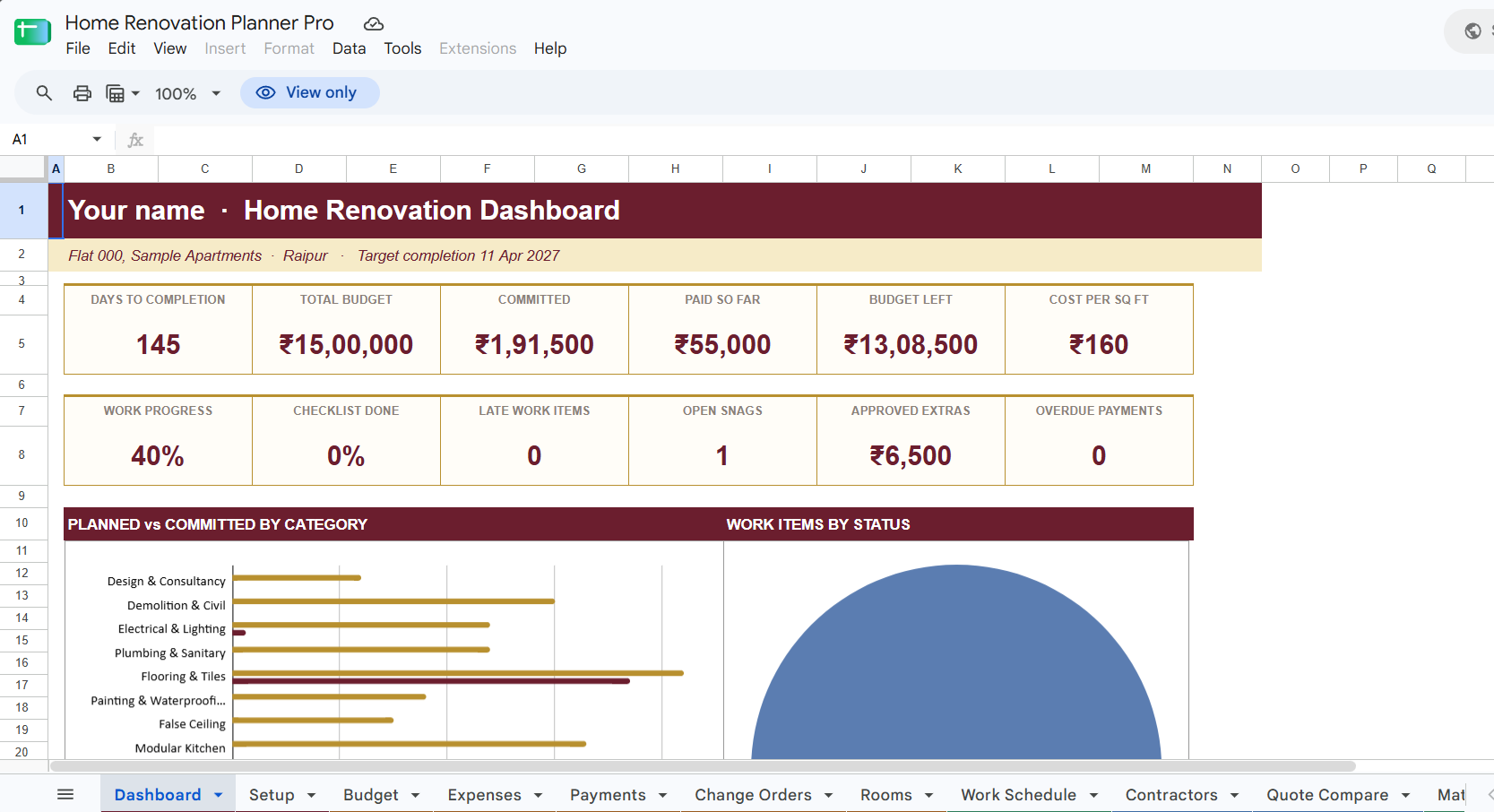
See the whole project
- Dashboard: budget, committed cost, paid so far, cost per sq ft, work progress, late items, open snags and overdue payments, with charts.
- Setup: enter your area, dates and budget once. Every tab uses them.
- Final Summary: a one-page wrap-up when the project ends.
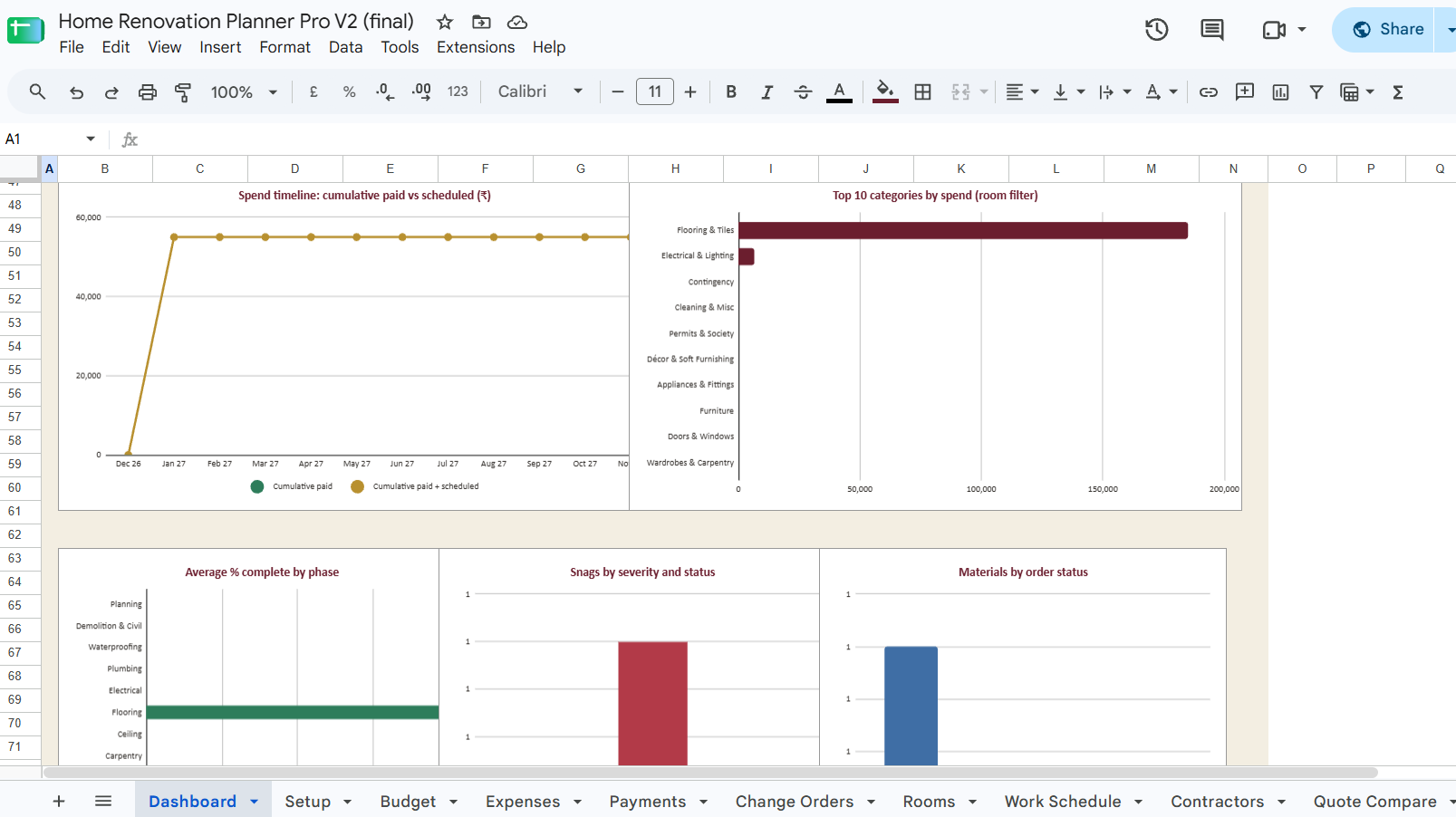
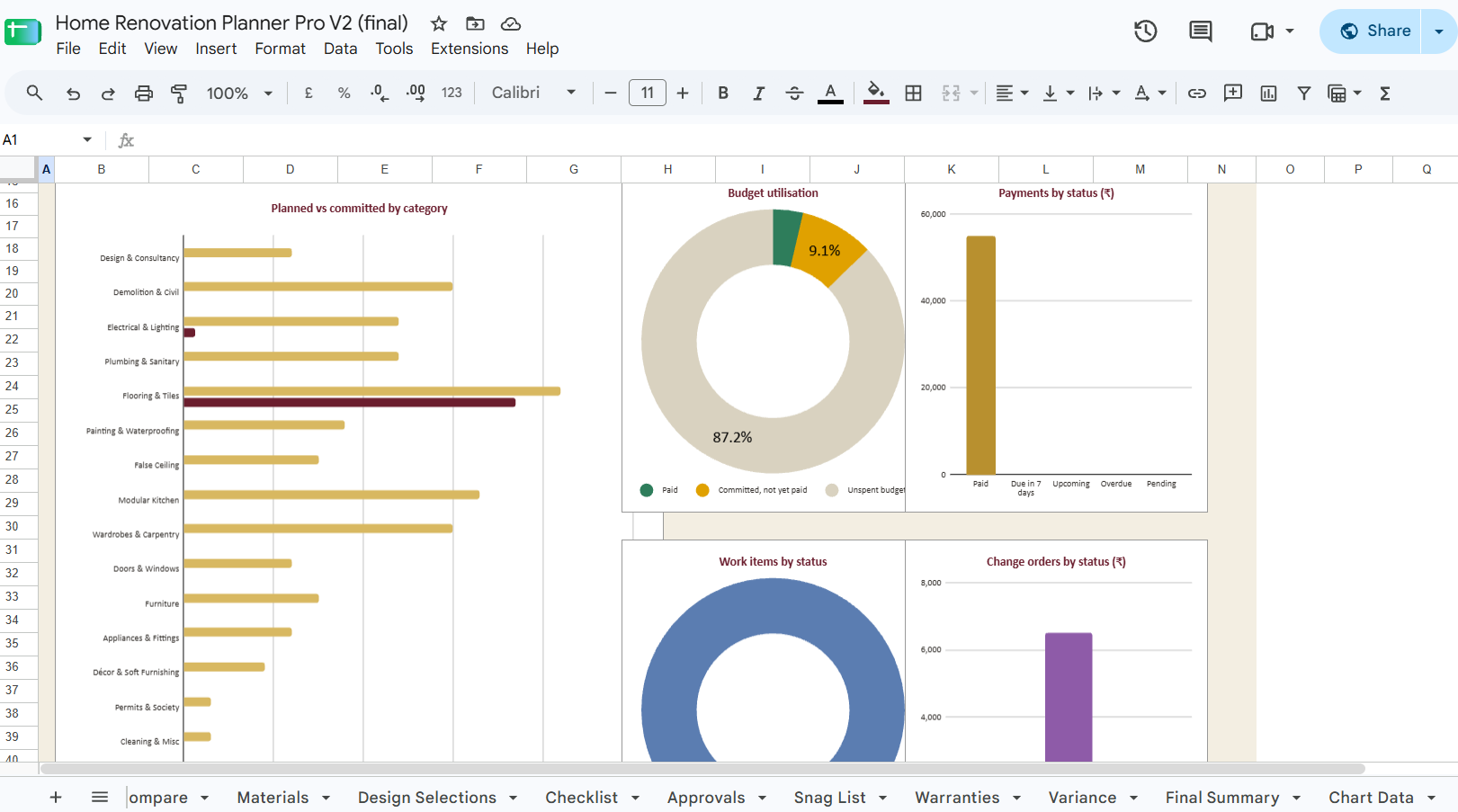
Control your money
- Budget: 16 categories (civil, electrical, plumbing, flooring, kitchen, wardrobes and more) with a built-in contingency.
- Expenses and Payments: log each agreed cost and every milestone payment. Paid, balance and overdue flags update automatically.
- Change Orders: log extra work. Only approved items add to your committed cost, so surprises are visible.
- Rooms: budget vs spend for each room.
- Variance: planned vs committed vs paid by category.
Manage the work
- Work Schedule: phases, dates and % complete, with automatic late flags.
- Contractors and Quote Compare: a directory of everyone on site, plus a scoring sheet that ranks quotes by the priorities you choose.
- Materials: a bill of quantities with rates, suppliers and delivery status.
- Design Selections: tile, paint, lighting and fixture choices with shade codes and links.
Finish properly
- Checklist: 47 tasks from planning to move-in, with due dates tied to your start date.
- Approvals: society NOC, lift booking and other permits.
- Snag List: log defects before you release the final payment.
- Warranties: invoices and expiry dates, with 90-day alerts.
Why homeowners like it
- You can see spend by category and by room, so you know where the money is going.
- Payments, extras and approvals stay visible instead of living in chat messages.
- It is built for Indian renovations: ₹ in lakh/crore format, and civil, waterproofing, modular kitchen and society approvals are included.
- Room, trade and phase lists are editable.
Who it’s for
Homeowners renovating a flat or house, NRIs managing a project remotely, and interior designers or project managers who want a clear tracker to share with clients.
How it works
- Buy and download instantly pdf, open google drive link, unzip and you will find excels and google sheets.
- Open it in Google Sheets or Excel.
- Enter your area, start date and total budget on the Setup tab.
- Replace the grey sample rows with your own details.
Please note: this is a spreadsheet template, not an app. It does not replace a designer, contractor or engineer. The default budget percentages and the approvals list are starting points. Adjust them to your project and check your local society and city rules.
0 Reviews